 OneTask
Published
Sizing a PC power supply without guessing or overspending
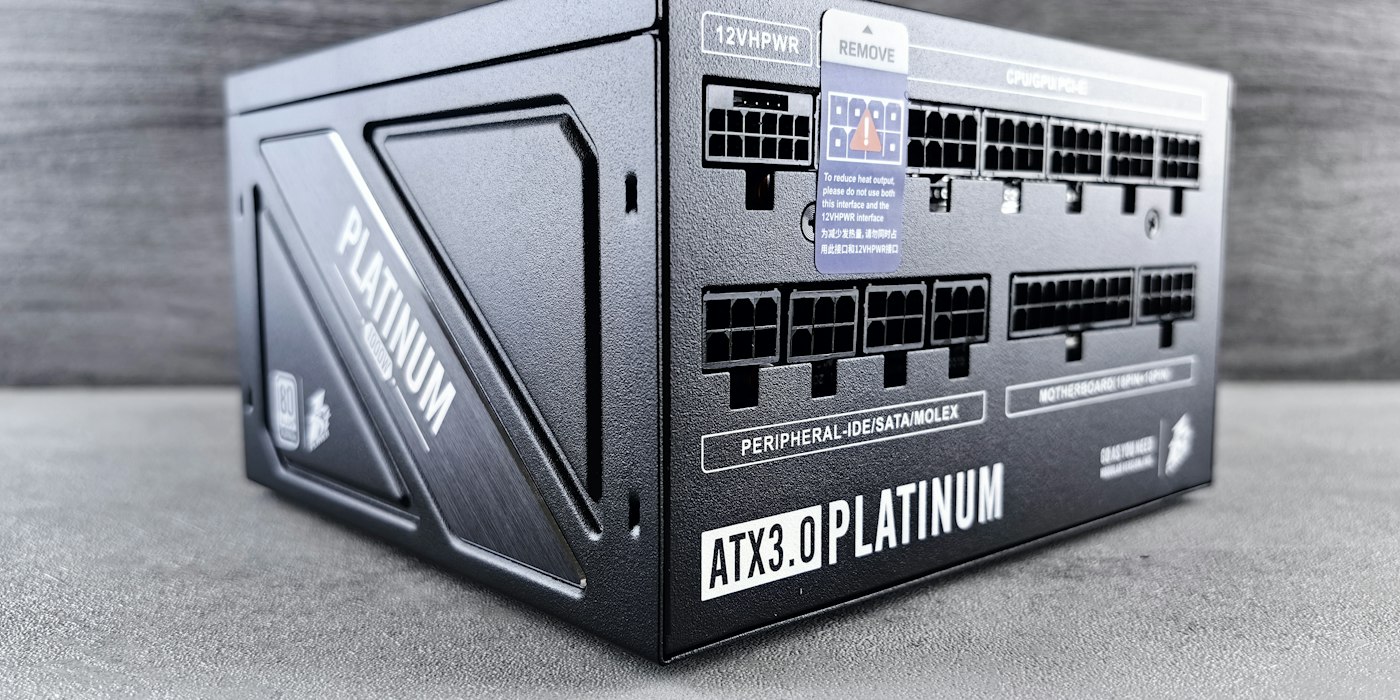
The power supply is the part people most often get wrong in a PC build, in both directions. Too small and the machine shuts down mid-game for no obvious reason. Too big and you have paid for capacity you will never use. The right size is not hard to work out, but the number on the GPU box is only part of it.
Start with what each part draws
Add up the maximum power of each component under load. The big two dominate:
| Component | Typical load draw |
|---|---|
| CPU | the manufacturer's power limit, not the base TDP |
| Graphics card | the board power on the spec sheet |
| Motherboard | 30–80 W |
| RAM | 3–5 W per stick |
| SSD | 3–8 W each |
| Hard drive | 6–10 W each |
| Fans | 2–4 W each |
| Pump, RGB, USB devices | 5–30 W in total |
The CPU figure is where most estimates go wrong. Manufacturers quote a base power figure that the chip happily exceeds for long periods at stock settings. Use the maximum turbo or package power limit from the spec sheet. For a modern high-end desktop chip that can be roughly double the headline number.
For the graphics card, use the board power, sometimes called total graphics power. The "recommended PSU" on the box is not the card's draw; it is the manufacturer's guess at a whole system, padded for cheap power supplies.
Transient spikes are the real limit
A graphics card does not draw a steady load. For a few milliseconds at a time, especially as a game scene changes, it can spike well above its rated board power. Some recent high-end cards have measured spikes approaching double their rating.
A power supply's protection circuits see those spikes. If one crosses the trip point, the PSU shuts off to protect itself, and the PC turns off as though someone pulled the plug. This is the classic "shuts down in games but passes every stress test" fault, and it is almost always an undersized or older power supply.
Two things help:
- Headroom. Size the supply so that normal load sits well below its rating, leaving space for spikes.
- ATX 3.0 and later units. The newer standard requires power supplies to tolerate short excursions far above their rating. If you are buying a high-end GPU, an ATX 3.x supply with the matching 12V-2x6 connector is the safer choice.
How much headroom to leave
A sensible target is for your calculated load to land at around 50–70% of the PSU's rating. That leaves room for spikes and future upgrades, and keeps the unit in the part of its range where it is most efficient and quietest.
As a worked example:
CPU (power limit)        180 W
GPU (board power)        285 W
Motherboard               60 W
2 × RAM                   10 W
2 × SSD                   12 W
6 × fans                  18 W
Pump and lighting         15 W
-----------------------------
Total                    580 W
At 65% load, that suggests about 890 W. Rounding to real product sizes, an 850 W unit is fine for this build and a 1000 W unit is generous. A 650 W unit would technically cover the average but leave very little room for a GPU spike.
If you plan to overclock, add the extra power to the CPU and GPU figures before you divide, not afterwards. Overclocking raises spikes as well as averages.
What the 80 Plus badge changes
The 80 Plus rating describes efficiency: how much of the power drawn from the wall reaches the components, and how much is lost as heat. The tiers run Bronze, Silver, Gold, Platinum and Titanium, with each step a few percentage points more efficient.
Efficiency does not change how much power your components need. A 580 W load is a 580 W load on any unit. What changes is the wall draw:
- At 87% efficiency, 580 W of load draws about 667 W from the wall.
- At 92% efficiency, the same load draws about 630 W.
That 37 W difference only matters while the PC is under heavy load. Whether it pays back the price gap between tiers depends on how many hours a day you game or render and what you pay for electricity. The electricity cost calculator turns a wattage and daily hours into a cost per day, month and year at your own tariff, which makes the comparison concrete.
In practice, a Gold unit from a reputable range is the sweet spot for most builds. Higher tiers are quieter and run cooler, which is often a better reason to pay for them than the power bill.
Quality matters more than wattage
A cheap 1000 W supply can be worse than a good 750 W one. Ratings on budget units can be optimistic, protections can be missing, and capacitors can age quickly. Look for independent reviews that test the specific model under load, and a long warranty, which is a decent proxy for the manufacturer's confidence.
Also check the connectors before you buy. A modern GPU may need a 12V-2x6 cable or several 8-pin PCIe leads. A high-end motherboard may want two CPU power connectors. Adapters work but add one more thing to go wrong.
Do not size around a bottleneck
It is worth checking the parts are sensible together before buying a PSU for them. A powerful GPU paired with a CPU that cannot feed it spends much of its time waiting, and you are paying for capacity, in both the card and the power supply, that you are not using. The bottleneck calculator shows which part is likely to hold back the other at a given resolution.
Do it in one step
The PSU calculator adds up CPU, GPU, RAM, drives and fans, allows for overclocking and transient spikes, and recommends a power supply size and efficiency tier. Enter the parts you have chosen rather than the box recommendations, and you will usually find you need less than the GPU box suggests but more than the average draw would.